
The workflow
From release file
to recorded result.
A vendor prepares the change. A customer verifies their host and approves the plan. Shipstead coordinates the work between them.
Package and sign
The vendor defines images, storage, configuration and health checks in a supported application package. The private signing key stays on the signing machine.
Connect the customer host
The customer checks prerequisites and captures the host’s engine identity. The vendor signs a kit for that exact installation; the customer verifies it before installing.
Prepare the update
The vendor publishes a signed release. The customer stages its image content and accepts it into the existing installation’s catalog. This step is preparation, not permission to deploy.
Approve, execute, inspect
The customer approves the specific deployment plan and time window. The vendor signs the approved execution. The host runs the operation and records the result.
Product walkthrough
Look inside the handoff.
Real screenshots from local test installations. Select a step to inspect it.
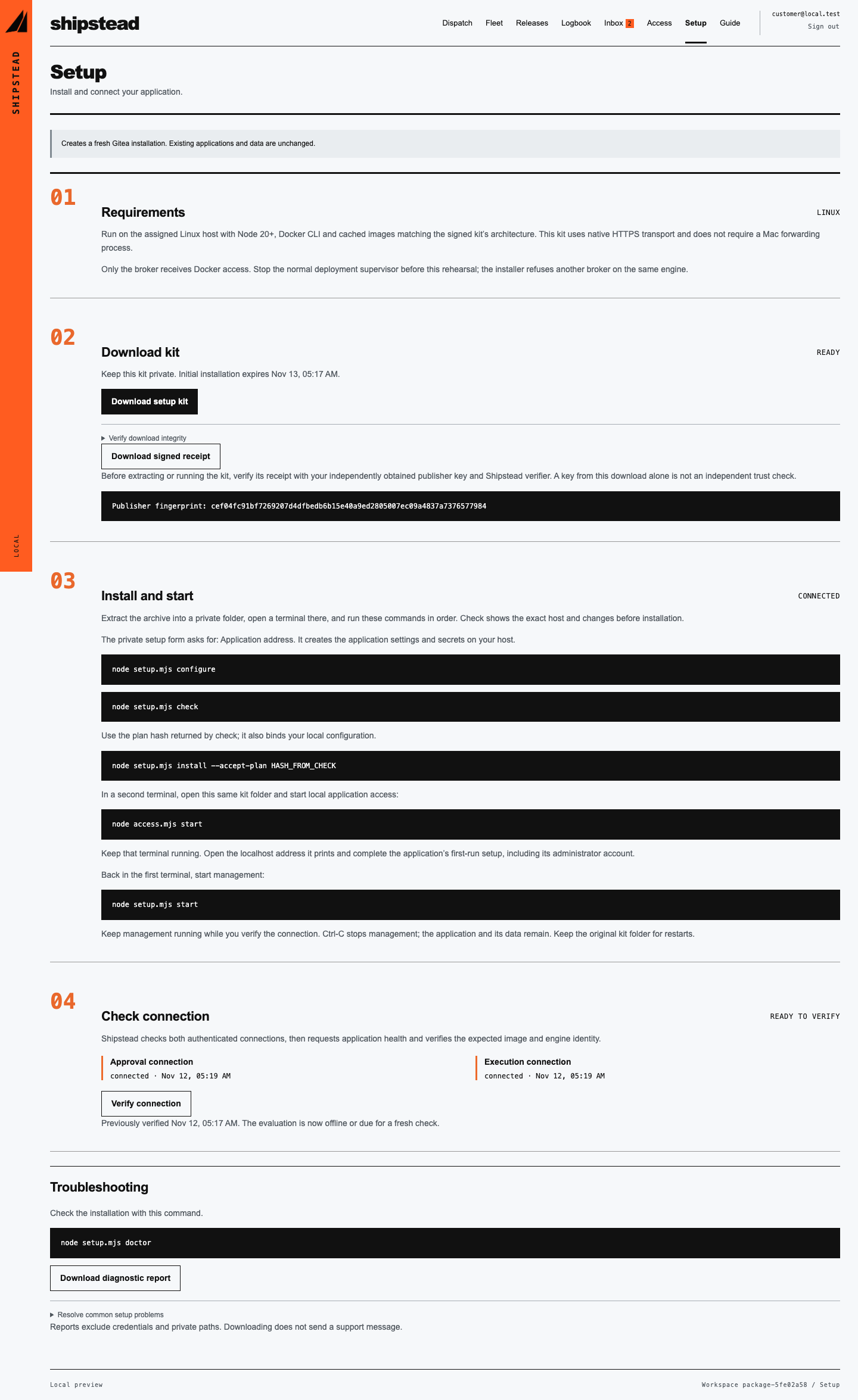
Know what is ready before deploying.
The setup view tracks prerequisites, verified kit downloads and the installation’s worker connection.
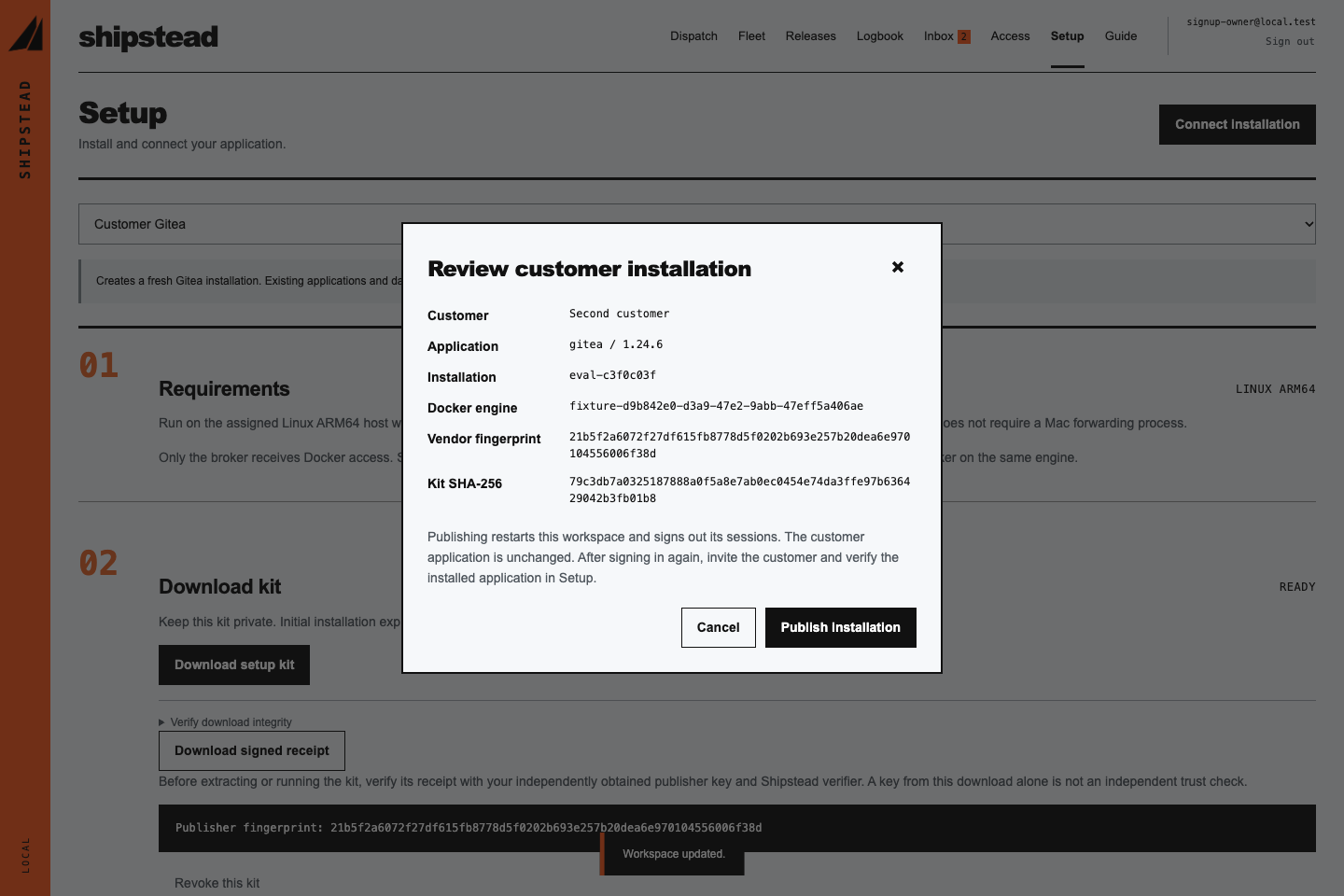
Review the exact destination.
The publication review identifies the customer, enrolled engine, signing fingerprint and kit before confirmation.
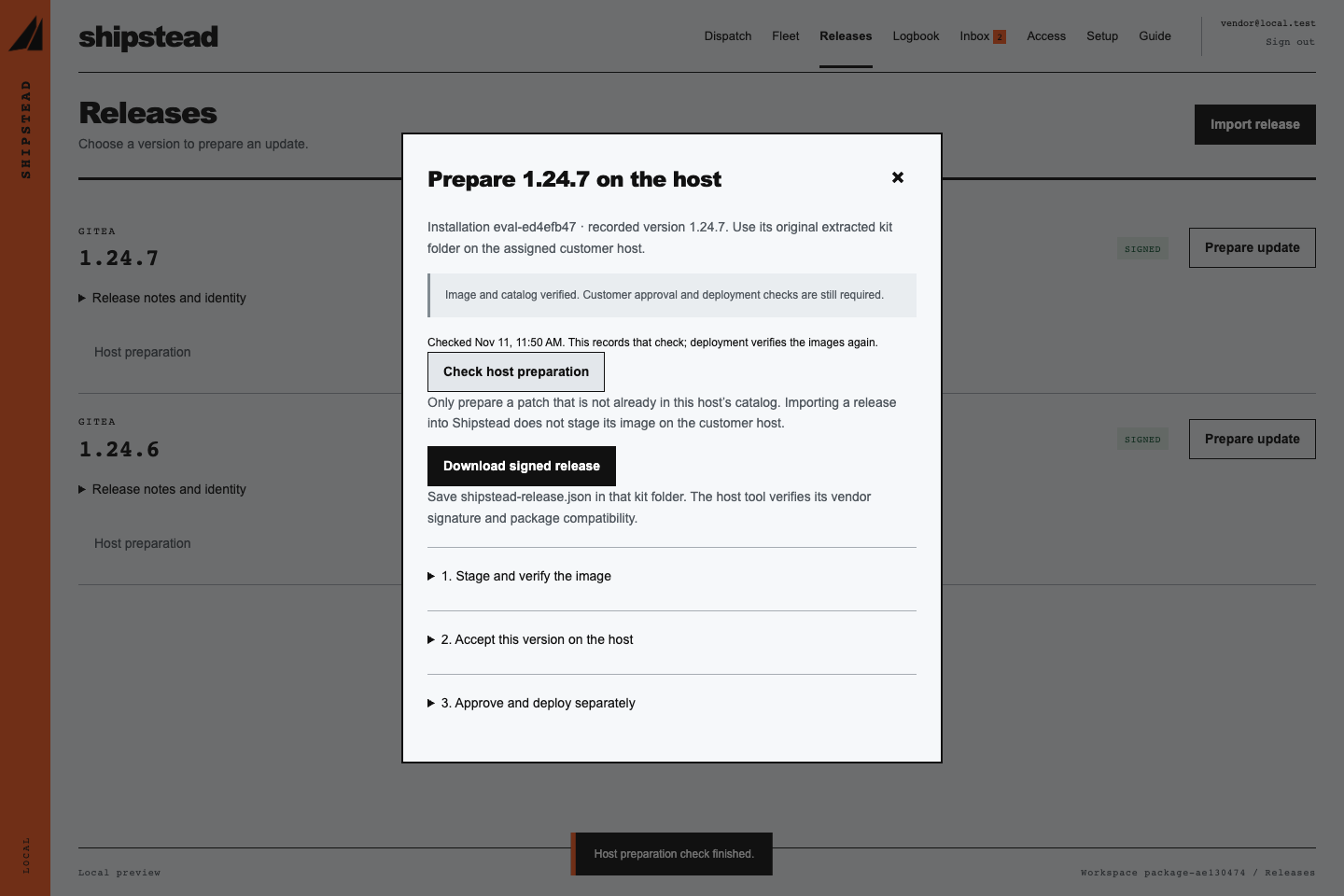
Stage a release before requesting execution.
The preparation instructions link the signed release to the customer host. Staging the image does not grant deployment consent.
When the result is uncertain.
An interrupted operation stays uncertain until its journal and the application state have been inspected. Reconnecting a worker does not silently replay the deployment.
When you stop management.
The documented retirement path removes management components while preserving the application and its data. Retain the original kit, keys and history, and assign ongoing startup and backup ownership.
Start with your application
See where your
application fits.
Find out whether your customer hosts and update workflow match Shipstead’s planned scope.
Check compatibilityNo email. No call. Results stay in your browser.